Having a mobile number linked with your Voter ID (EPIC Card) has several benefits, such as managing your EPIC card online, making corrections, filling and submitting the SIR Enumeration Form online, and much more.
So if your mobile number is not linked with your Voter ID, this post will help you link it to your EPIC Card completely online, without having to visit any government office or contact a BLO.
Before we begin the process, here are the requirements you will need to link your mobile number with your EPIC card:
- A mobile number
- EPIC Card Number
Link Voter Id with Mobile Number
To link your mobile with EPIC Card visit the official Voters Service Portal website https://voters.eci.gov.in/
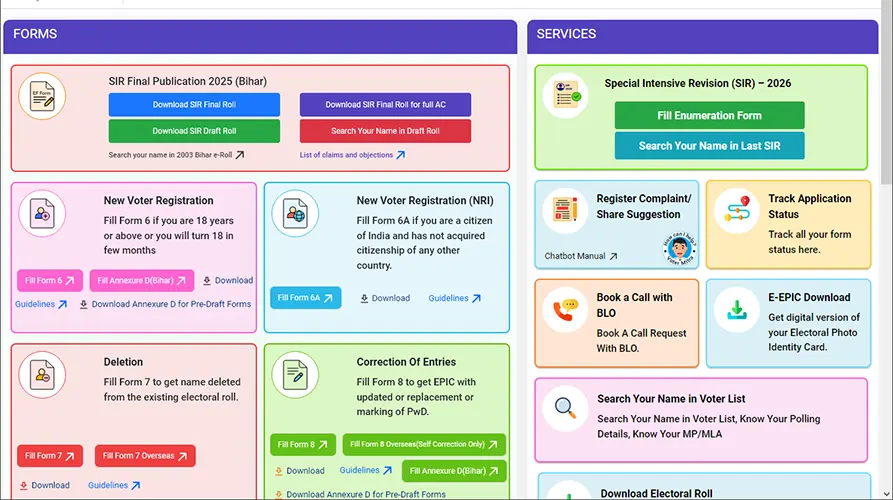
Once you are there on the portal, if you have earlier used the portal then you can login using your existing mobile number and if not then signup or register an account using your mobile number
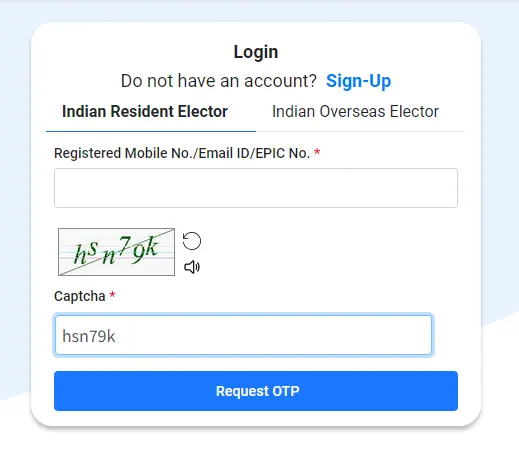
Once registering an account or If you already have an account click on Login and login with your mobile number.
After logging into the Voters Service Portal, click on Fill Form 8 under Corrections of Entries Section
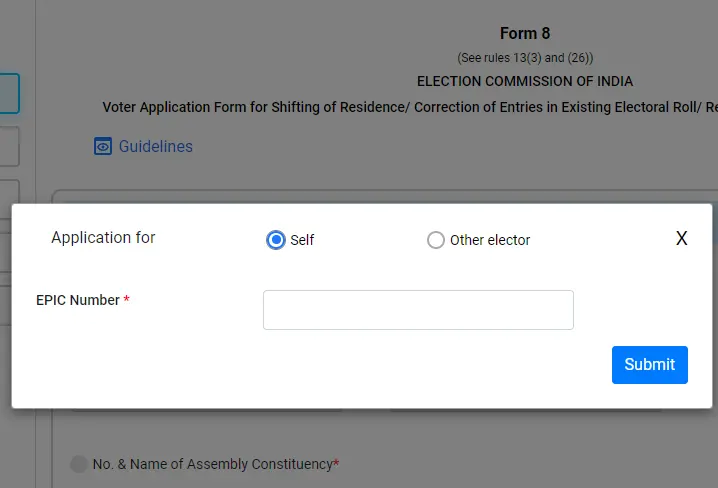
This will open a new page and from the option select application for self if you are adding mobile number to your Voter ID and if you are doing for other then select Other Elector and click on the Submit button
Enter the EPIC Number, you can find your EPIC Number printed on your Voter ID Card. Once you enter the EPIC Number click on the Submit button.
On next page all your details as appearing in the Voter Card will be displayed
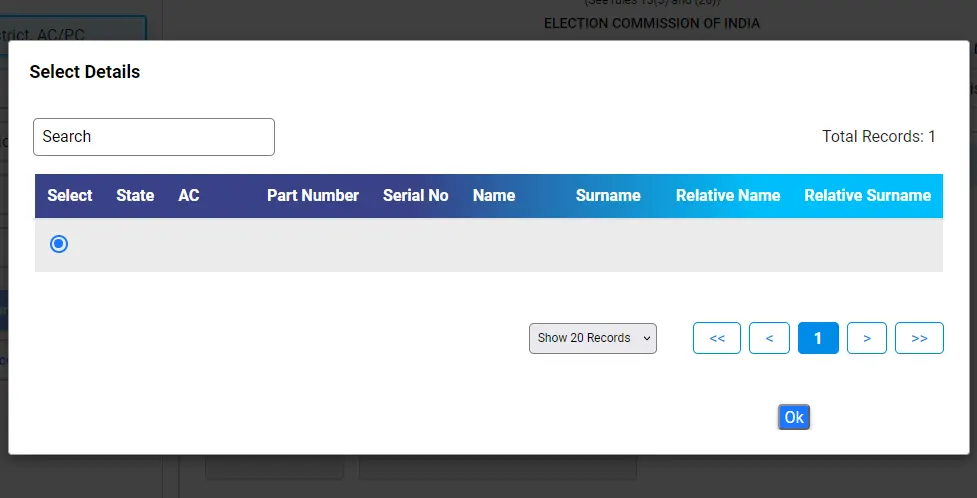
Make the selection and click on the OK button appearing below
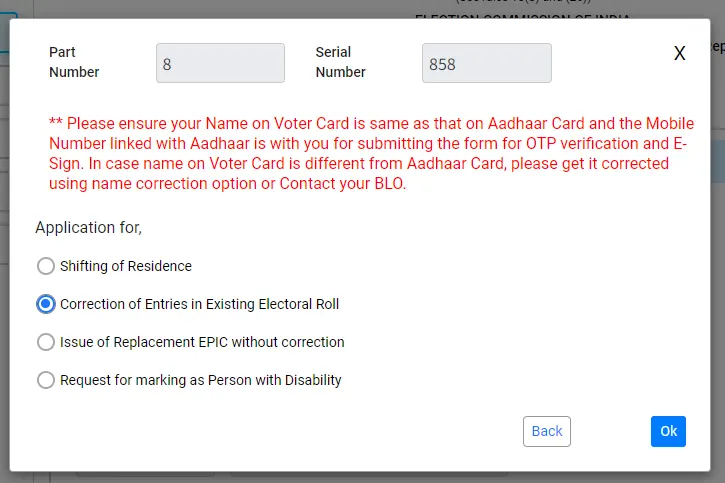
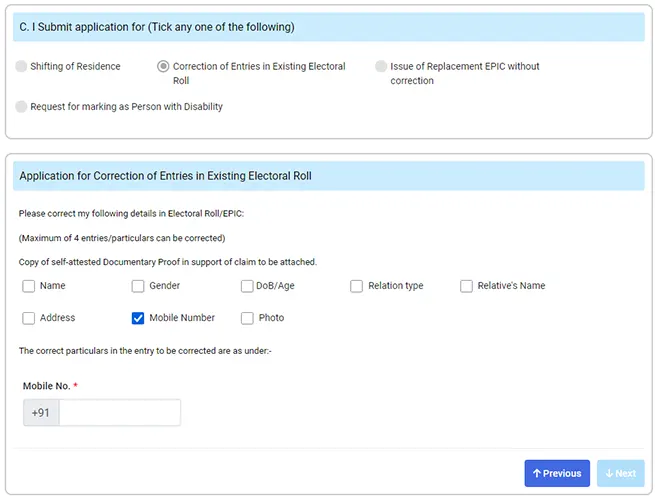
Immediately a popup will appear which will display four options, form these four options you need to select Correction of Entries in Existing Electoral Roll and click on the OK button

On next page a form will appear which will be prefilled with your details as per your Voter ID Card.
Scroll down the page and click on the Next button
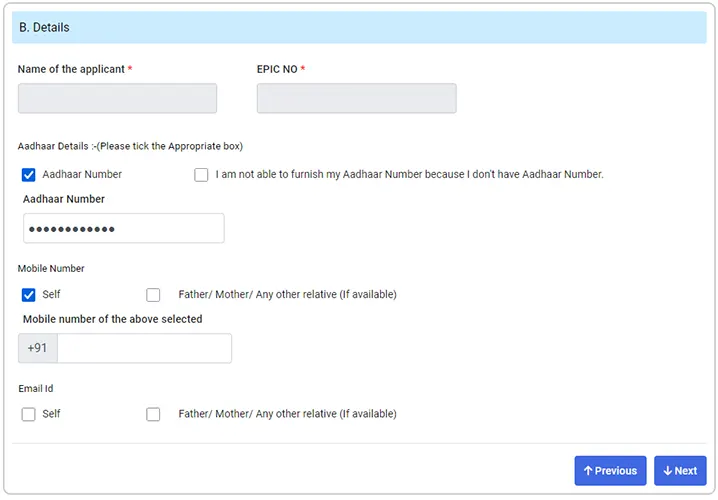
On next page which is Section B your name and voter number will be displayed, below that you need to tick mark on Aadhaar and enter your 12 digits Aadhaar Number in the below field.
Then tick mark on Mobile Number option and select Self if you are doing this for yourself or for other then select Father/ Mother or any relative.
Enter your mobile number which you wish to link with your Voter ID in the below appearing field and click on the Submit button.
If you want to update you can even update your email with Voter ID by tick marking on email and enter the email address.
Once entering the details click on the Next button
From the Application for Correction of Entries in Existing Electoral Roll, tick mark on the Mobile Number and again enter the mobile number in the below field and click on the Next button
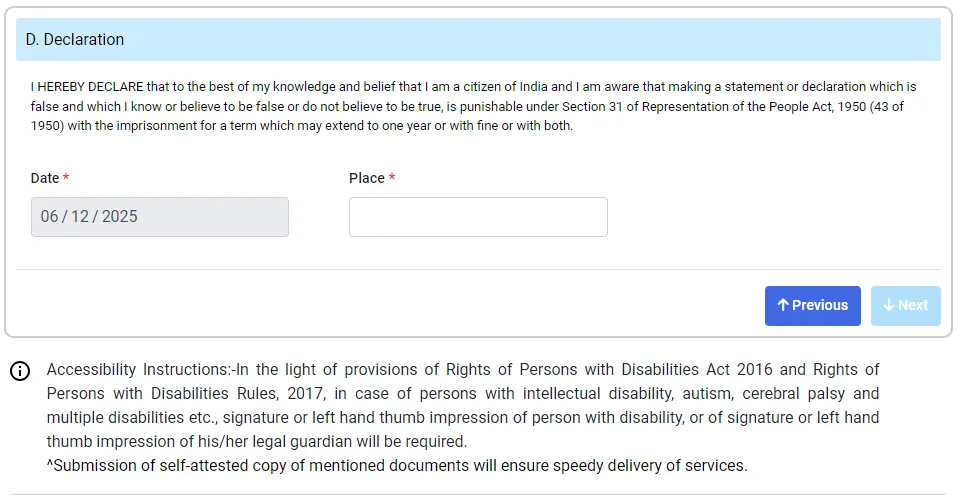
A declaration section will be loaded, in the place type the place from where you are placing the request and click on the Next button.
Solve the Captcha Security Code as displayed in the image by typing same in the below field and click on the Send OTP button
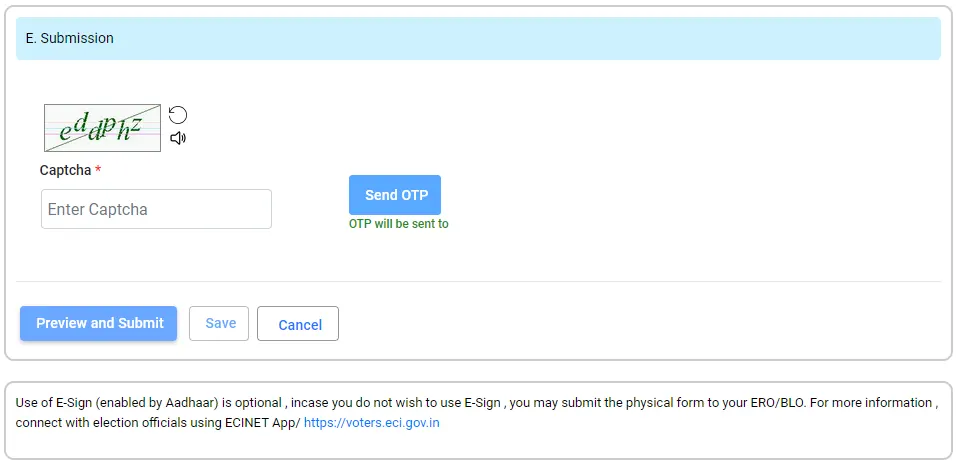
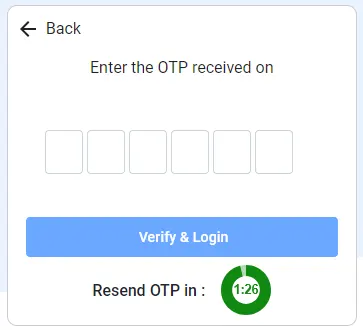
A One Time Password will be sent on your mobile number, enter the received OTP and click on the preview and submit button.
The Form 8 will be displayed in PDF format which will display your information, you need to confirm your details if its appearing correctly in the form.
If the details are correctly appearing click on the eSign & Submit button appearing below.
A confirmation box will appear Are your sure you want to submit this form, click on Yes button to proceed.
You will need to complete the authentication via Aadhaar, so on next page you will be prompted to enter your Aadhaar Number/ Virtual ID or UID Token Number.
Once entering the Aadhaar Number or Virtual ID or UID Token click on Get OTP button
A one time password will be sent on your Aadhaar registered mobile number
Enter the received OTP, tick mark on the declaration and click on the Submit button
Your application form mobile number update will be successfully submitted and it will also generate a reference number for your application which you can use to track.
Click on the Download Acknowledgement and this will download your application request for mobile number in PDF file format.
Once your mobile number is linked with Voter ID you will receive confirmation on your mobile number. As well you can check the status of your request by clicking on Track Application Status option from the Voter ID Service Portal using your application reference number.